What is Remini?
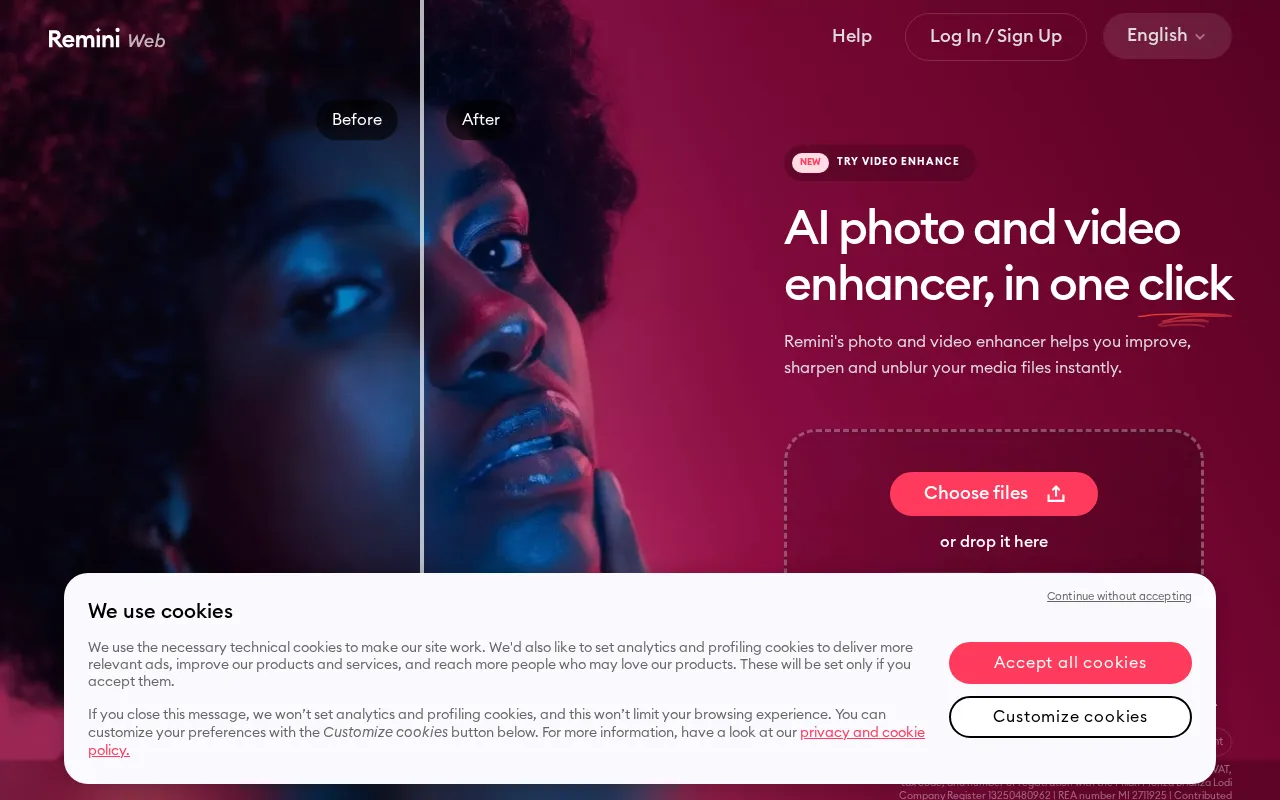
Remini is an AI-based photo and video enhancement tool operated by AI Creativity S.r.l., a company managed and coordinated by Bending Spoons S.p.A. Its web application lets users upload media files for automatic enhancement through a browser. The tool is designed to improve visual clarity, sharpen details, and reduce the blurred appearance of photos and videos with minimal manual work.
The main interface provides separate options for photos and videos. Files can be selected through the upload control or added by dragging and dropping them onto the page. Remini presents the process as a one-click workflow, making it accessible to people who do not want to adjust complex image or video settings.
Key Features
- AI photo enhancement: Processes uploaded photos to improve their overall appearance and bring out clearer visual details.
- Photo sharpening: Makes soft or indistinct areas appear sharper without requiring manual editing controls.
- Blur reduction: Helps improve media files that look blurred or lack definition.
- Video enhancement: Includes a dedicated option for improving video files as well as still images.
- Simple file upload: Accepts files through a browser-based picker or a drag-and-drop upload area.
Use Cases
- Improving personal photos that appear soft, blurred, or low in detail.
- Sharpening older digital images before sharing or archiving them.
- Enhancing video clarity through an automated browser workflow.
- Preparing clearer photos and clips for online publishing or social media.
Pricing
Remini uses a freemium model, with access and paid options that may vary by platform or location. The supplied web page does not publish plan names, subscription amounts, usage limits, or billing terms. Current pricing details are available through Remini's official site or account flow.
Who Is It For?
Remini is intended for individuals, social media users, and content creators who need a straightforward way to improve photos or videos. It is particularly relevant to users who want automated sharpening and blur reduction without working with detailed professional editing tools.